1
Detect
Sensitive data is found while you type: names, email addresses, payment details, and other values.

Extension installed
Once you're signed in, the extension highlights sensitive data while you type in AI tools, email, and chat. You decide what to do with each highlight.
Pin the extension
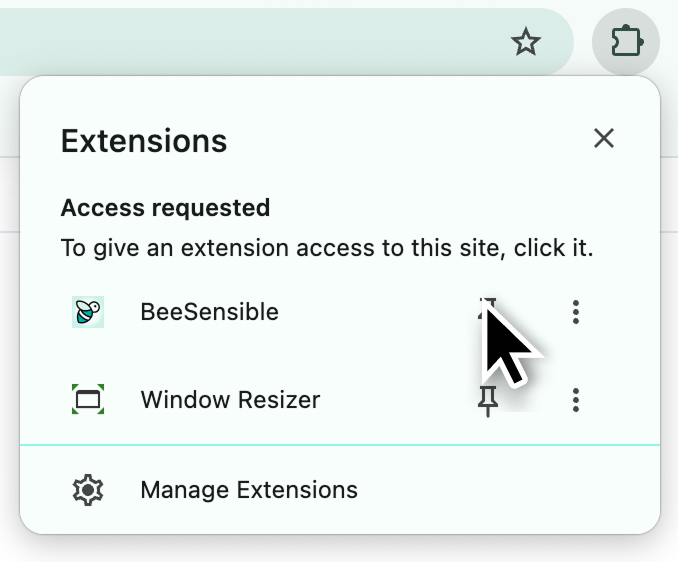
Keep BeeSensible within easy reach. Click the puzzle piece icon, find BeeSensible, and click the pin icon.
How it works
The extension does not change text by itself. You get a marking, review the choice, and decide what you send.
Sensitive data is found while you type: names, email addresses, payment details, and other values.
A yellow or red marking appears in the text. The panel shows what was found.
Remove the value, replace it with a realistic alternative, or mask it with a placeholder.
You send the message yourself. BeeSensible does not block or change anything without your choice.
The example above is interactive. Click a highlighted value to see your action options.
Supported apps
BeeSensible runs in supported AI tools, email, chat, and social platforms. Open one of these tools and the extension appears when sensitive data is found.
The user documentation explains highlight colours and when to remove, replace, or mask detected information.
Read the documentation Contact support Claude